
01Step
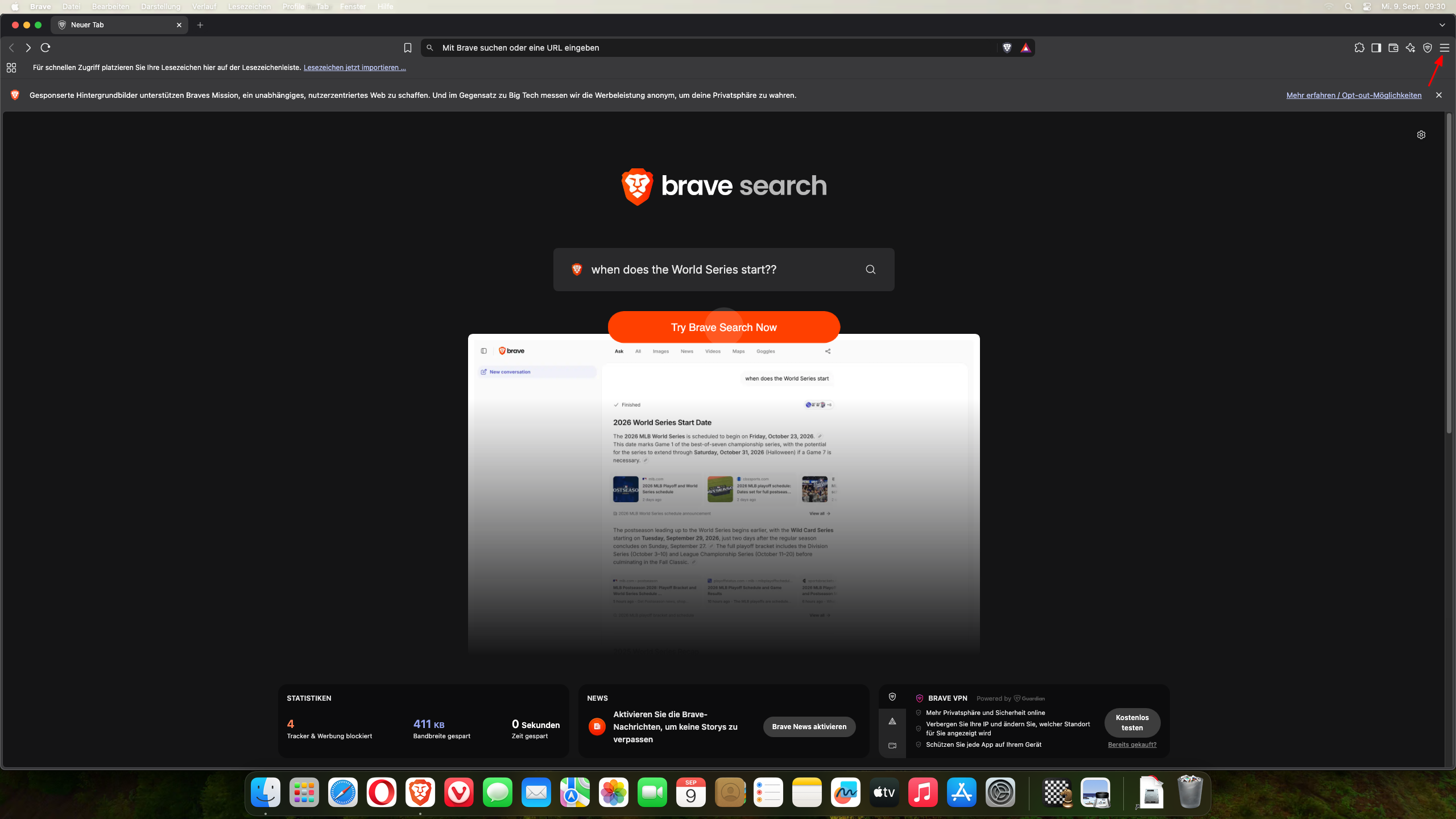
Öffnen Sie Ihren Brave Browser. Gehen Sie oben rechts auf das Symbol mit den drei Striche. Klicken Sie die Striche mit der linken Maustaste an. Dann öffnet sich das Menü.
02Step
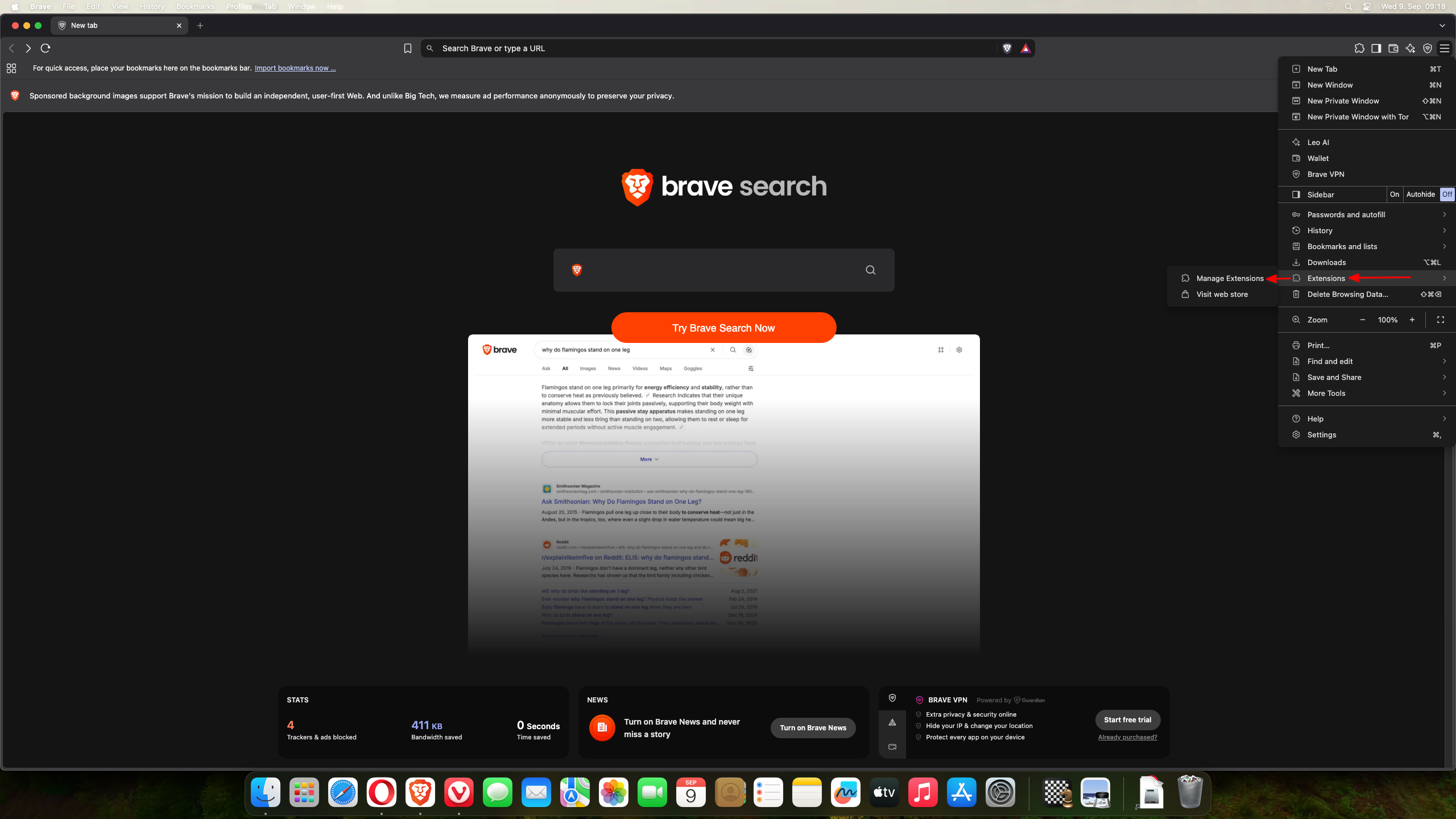
In the opened menu, look for “Manage extensions.” Move your mouse pointer over it so that the menu expands.
03Step
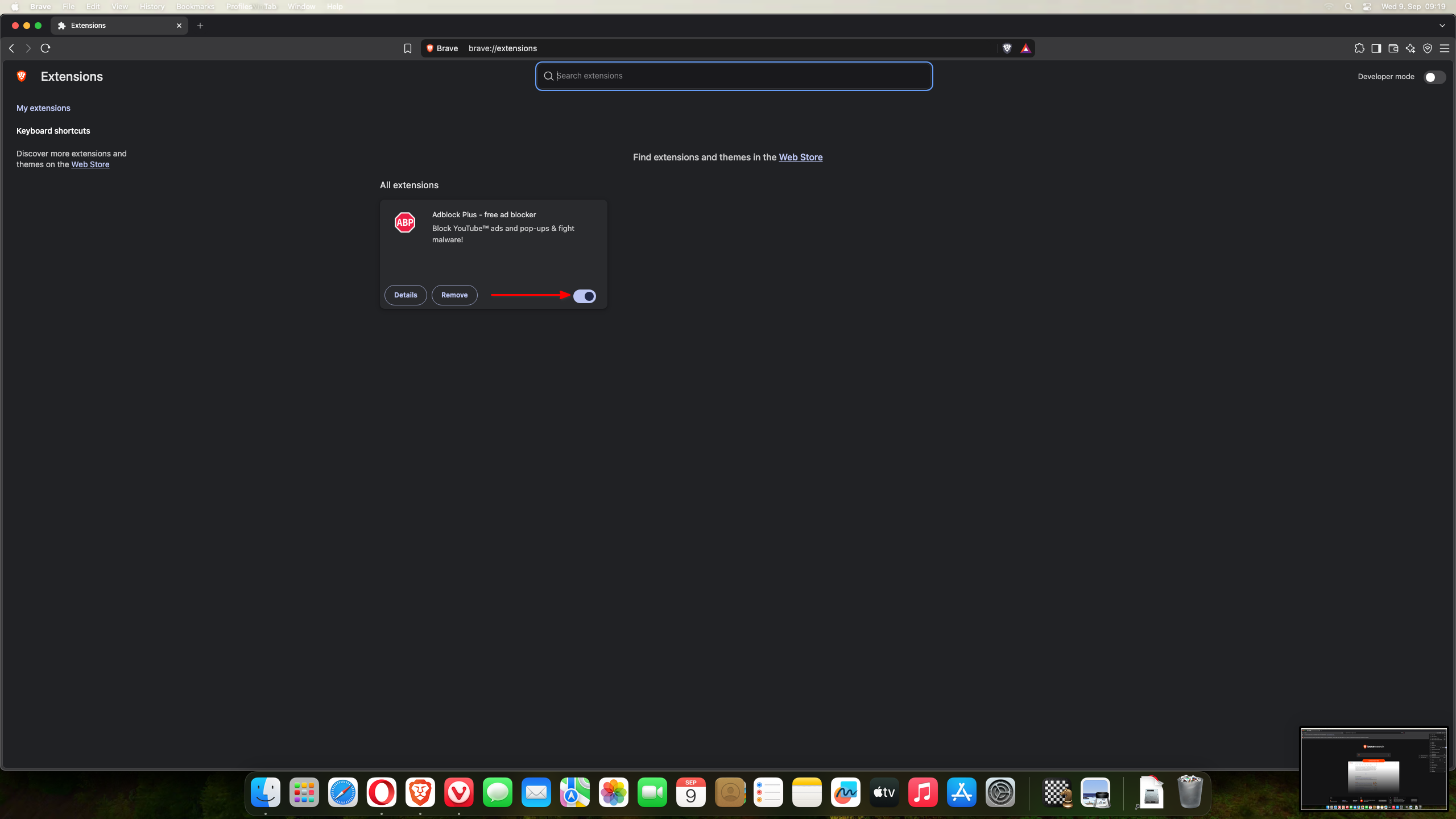
You will now see your installed extensions. Find your ad blocker and move the blue dot on the bar to the left.